> debug marketing #1
I built a content machine this weekend
How I went from strategy files to a full content production system in one weekend. The build log, tool stack, what broke, and what I learned.
> unlock
Read the full edition
Enter your email to unlock this article and get future editions delivered to your inbox.
Hi team,
Happy Valentine’s Day. While most people are writing love letters today, I’m writing about my other relationship: the one with a project that kept me up all weekend, demanded all my attention, and honestly cost me more than dinner for two.
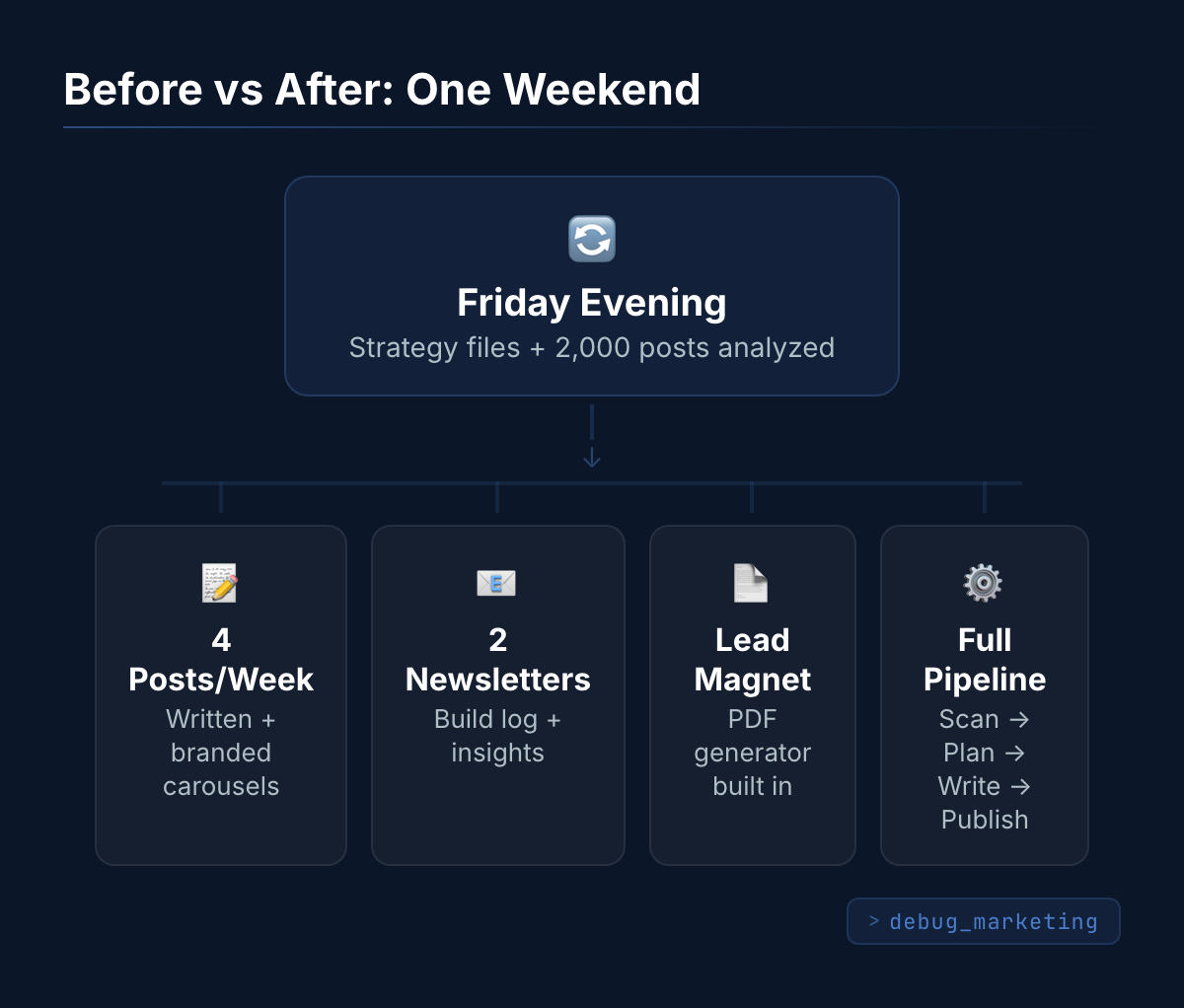
Last Friday evening I sat down with a plan and a lot of enthusiasm. I had a LinkedIn profile, a strategy based on 2,000 analyzed posts from successful creators, and Lara Acosta’s methodology broken down into reusable rules. What I didn’t have: a way to actually produce content consistently.
By Sunday evening, that had changed. Here’s the full story of what I built, how, and what went wrong along the way.
The Content Engine Build
Background
I needed to go from “strategy files on my laptop” to “a system that helps me produce a full week of content.” The vision: a content machine starting with LinkedIn for reach, with newsletters and eventually monetization bolted on later. The plan was brainstormed Friday evening with Claude Code (Opus 4.6 in VS Code). Saturday morning, I started building.
Under the Hood
The whole thing lives in one project folder called “content-engine” in VS Code, with Claude Code as my building partner. I don’t write code. I don’t even understand code. What I do is give Claude the right context: who I am, what my audience cares about, which rules to follow when writing, examples of what good looks like.
That context is everything. I’ve got about 47 files in there now. Things like my voice profile (how I write, what phrases to avoid), audience segments (marketing managers, CMOs, founders), hook rules based on the 2,000 posts I analyzed, and my personal positioning. Every time Claude writes something, it reads those files first. That’s why the output sounds like me and not like generic AI text.
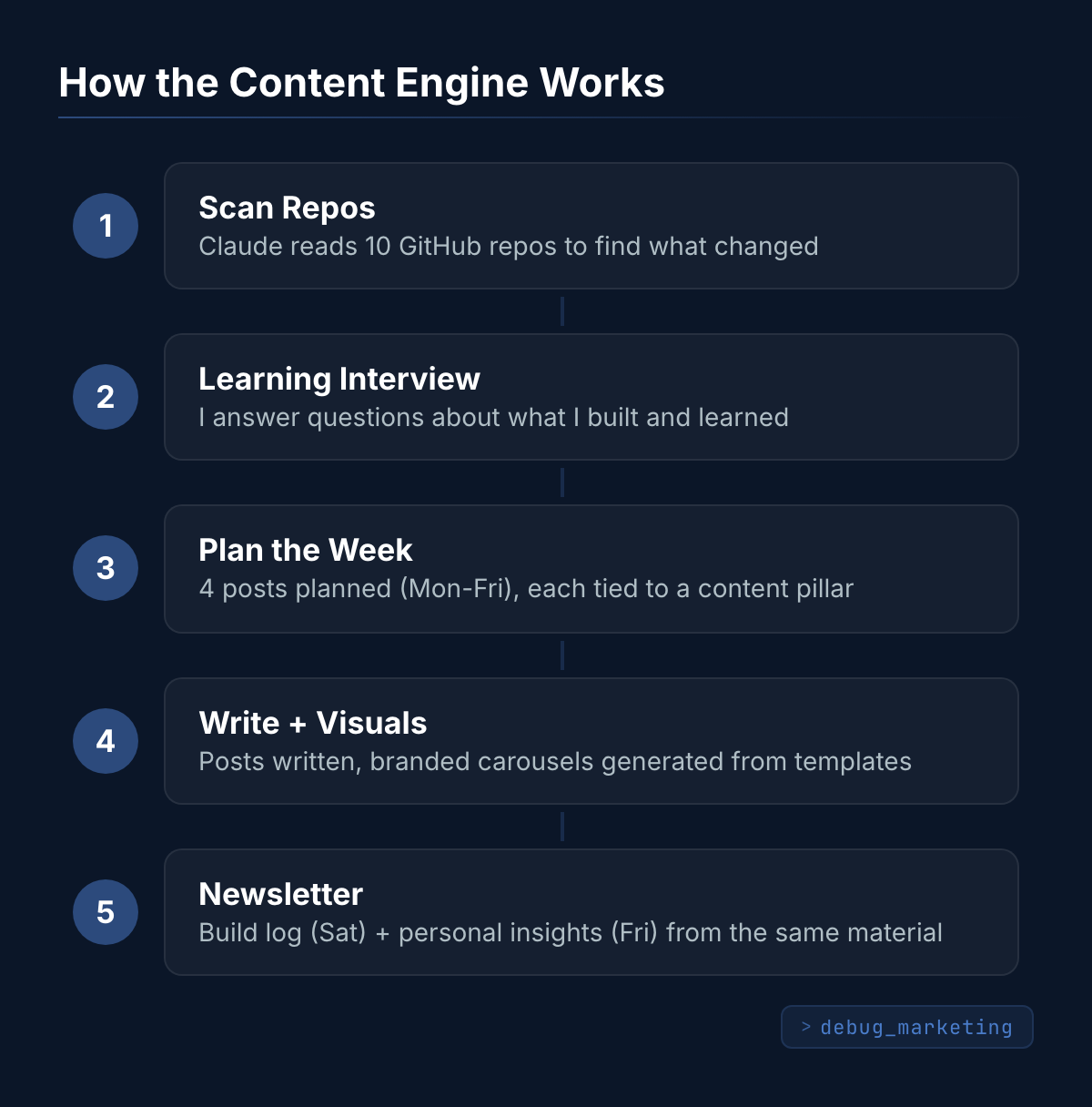
The content pipeline works like this: First, Claude scans my GitHub repositories (I have about 10 across two accounts) to see what changed. Then it interviews me about what I learned. Those learnings become the raw material for posts. Then it plans 4 posts for the week (Monday through Friday, each tied to a content pillar), writes them, and generates branded carousel visuals.
I was honestly surprised by the visuals. I assumed I’d need something like Canva or an external design tool. Turns out Claude built a visual system using HTML templates and a tool called Playwright that renders them into images. All locally on my laptop. The carousels look consistent because the brand rules (colors, fonts, layout) are baked into the templates. No subscription needed.
That same weekend I also built the newsletter system (you’re reading the result), a lead magnet generator for downloadable PDFs, and started sketching out a business hub for future monetization. None of this was on the original Friday evening plan. They came up naturally as I was building.
The tool stack: Claude Code with Opus 4.6 in VS Code, Playwright for visual generation, GitHub for my project repositories. That’s it. No Canva, no separate newsletter tool at that point, no design software. I started with the $100/month Claude Max plan, but had to upgrade to the $200 plan mid-Saturday. Opus 4.6 eats through usage fast when you’re building all day. I have some ideas about using different models for different tasks to manage that, but more on that later.
Time: about 20 hours across the weekend. Friday evening brainstorming, Saturday and Sunday building nonstop.
What Broke (and the Fix)
Newsletter platform didn’t fit. After researching 6 platforms, I initially went with Beehiiv for the newsletter. Seemed like the obvious choice. But once I tried to connect it to my system, everything was manual. Creating a newsletter, scheduling it, managing subscribers beyond basics. All clicking in a dashboard. That doesn’t work for a project built on automation. After more research, I switched to Brevo combined with a custom website. More setup work upfront, but everything controllable from the command line. No manual dashboard clicking except posting on LinkedIn itself.
Visuals needed iteration. The first carousel slides looked decent but the layout wasn’t quite right. Content slides needed different modes (bullet points, key-value pairs, comparison views) depending on the information. It took a few rounds of “this doesn’t look right, try this instead” before the templates produced consistently good output. The lesson: visual templates are never done on the first try.
Voice drift mid-session. The first two posts sounded like me. Posts three and four started using phrases I’d never say. Things like “leverage your content.” The AI’s memory was filling up. The fix: make it re-read my voice profile before each post, not just once at the start.
What I Learned
-
Context files are the product, not the AI model. The model will get replaced every few months. The 47 context files that make it sound like me, know my audience, and follow my rules? Those stay. That’s the real investment. Building an ecosystem beats collecting tools.
-
Start with one channel, prove it works, then expand. My original plan had LinkedIn, newsletters, YouTube Shorts, and a podcast all launching at once. I deleted three of them. LinkedIn first. Prove consistency. Then add the next channel. The discipline to NOT do everything at once is the hardest part.
-
Your daily work IS your content. The engine scans what I actually build and turns it into content. I don’t sit down and think “what should I post about.” I just work on my projects, the system captures what I learn, and that becomes the raw material. The best content comes from doing, not brainstorming.
Dashboard
- Tools: Claude Code (Opus 4.6), VS Code, Playwright + HTML/CSS templates, GitHub
- Time invested: ~20 hours across 3 days (Friday evening + full weekend)
- Cost: Started at $100/month Claude Max, upgraded to $200/month mid-build
- Status: Shipped. Week 7 content produced and first posts already live.
- Next up: LinkedIn performance tracking with a feedback loop (so the system learns what works). And integrating AI/marketing news scanning to use as hooks for posts.
That’s it for this week. What am I missing? What would you want to know more about? Hit reply and let me know. I read every response.
See you next Saturday,
Bjorn